Provided the situation to save multiple draft post, The WordPress “Save draft” functionality will save your first post successfully but upon saving another post as draft in the same browser instead of creating the new draft it will update the old post. Here is the guide to fix these kind of errors permanently.
What is save draft functionality:

The save draft functionality is used to save your post without publishing to the public. It is very useful when you work with multiple team members or very long research post. Say if you want to modify the post before publishing you can save it in the drafts. How ever sometimes you want to draft multiple post at a same time.
Why the draft is not saving properly ?
If you notice on the case if you proceed to create another draft post instead of it creating new one if it is updating the previous draft it will cause loss of work and we need to draft it again and again repeatedly. This is happening because the WordPress uses the local storage of your browser.
Solution:
login to your WordPress console and Go to Theme File Editor
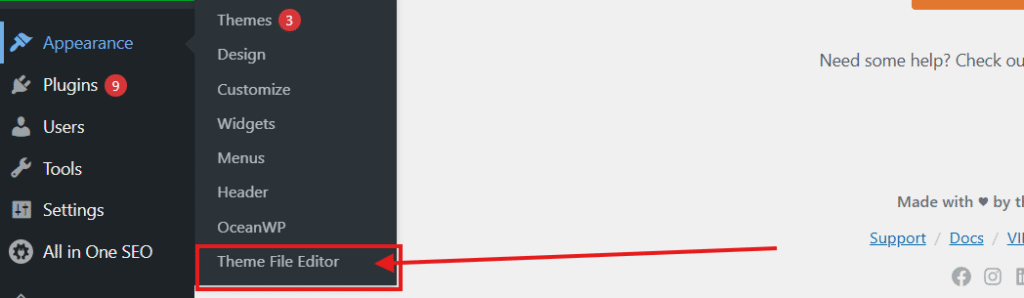
Please select functions.php and ensure your active theme is selected.

copy the content of the file in to the new notepad or text file and save it for the backup purpose. Now copy paste the below code in the bottom of the functions.php file.
/**
* Appends a random query parameter to the “Add New” post URL
* to prevent browser caching/overwriting issues.
*/
add_filter(‘admin_url’, ‘add_random_id_to_new_post_link’, 10, 3);
function add_random_id_to_new_post_link($url, $path, $blog_id) {
// Check if the link is for creating a new post
if ($path === ‘post-new.php’) {
// Generate a random 8-character string
$random_id = wp_generate_password(8, false);
// Append it as a query parameter (e.g., post-new.php?request_id=aB3dE5fG)
$url = add_query_arg(‘request_id’, $random_id, $url);
}
return $url;
}
add_action(‘admin_footer’, ‘dynamic_cache_buster_script’);
function dynamic_cache_buster_script() {
?>
Now if you save multiple post from the same browser, your drafts will be saved separately.