You don’t need any additional tools to track your expenses. Leverage the google forms in a smart way to track the expenses effectively.
Expense Tracker:
Basically you need to track the expenses on daily basis to manage the finance effectively. It will provide you insights to effectively manage the money in the upcoming months. Also you able to back track where your money went and it is avoidable in the next months or not something like that. Traditionally we need to maintain a expense tracker with pen and paper. We need to write down all the expenses and the income that is happened on daily basis.
Advantages of the Tracking the expenses:
Tracking your income and expenses on the daily basis will provide you the competitive advantage.
- You are building a track record
- You are able to identify the unwanted expenses and subscriptions
- You able to stick with the budgets
- You will know when your budget is getting over.
- You able to manage your budget effectively
Manually writing down the expenses with pen and paper is actually create much discrepancy in the tracking as we will make some manmade errors of mistakenly forgetting to write down the expenses. So doing a digital transformation of this process will help you to reduce the tracking errors.
Create your transaction tracker with Google Sheet:
If you are trying to track your daily transactions you are already started building a good financial habits. Definitely you don’t need any paid applications to track your expenses. With help of your google account and google forms you can create your own transaction tracker and you can easily store the responses as google sheet. With help of these transaction data you able to create interactive budget tracker and charts etc.
Next Base Action: Create Google Form
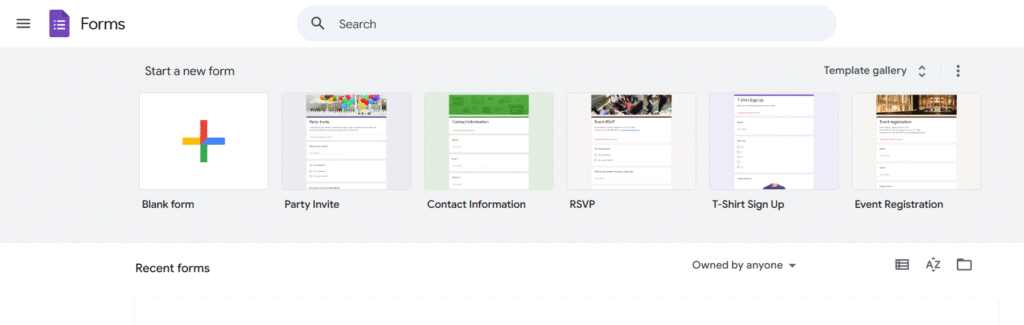
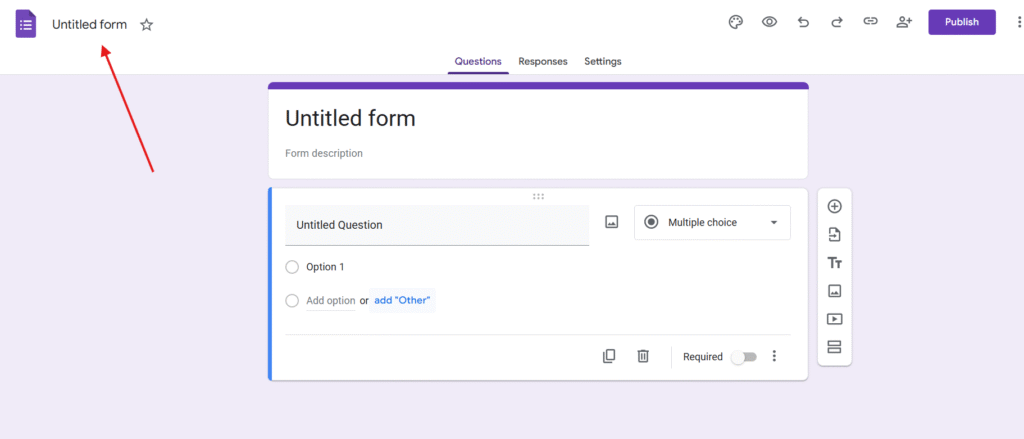
Visit https://forms.google,com and create Blank Form. You will reach the below page with Untitled form. Make sure you rename the form something like the Transaction Tracker
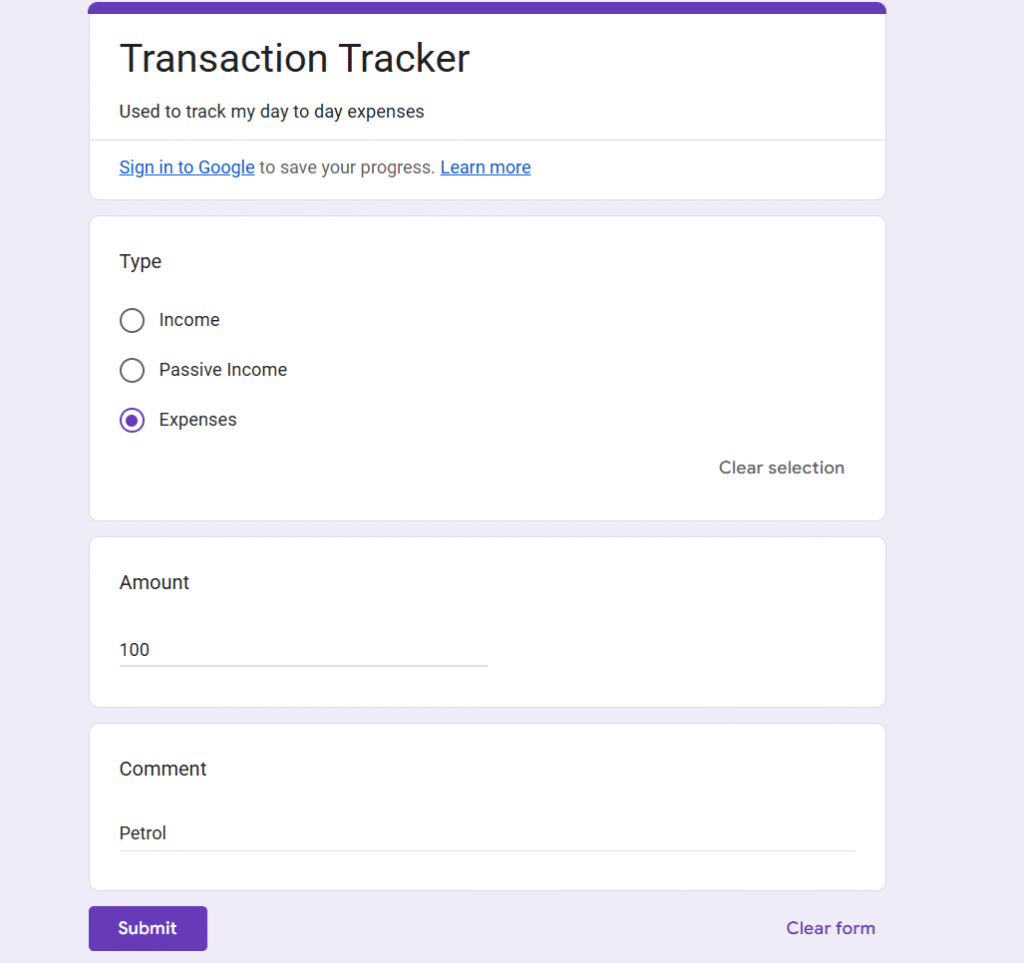
Kindly add the list of fields you need track. For example Type, Amount, Comments.
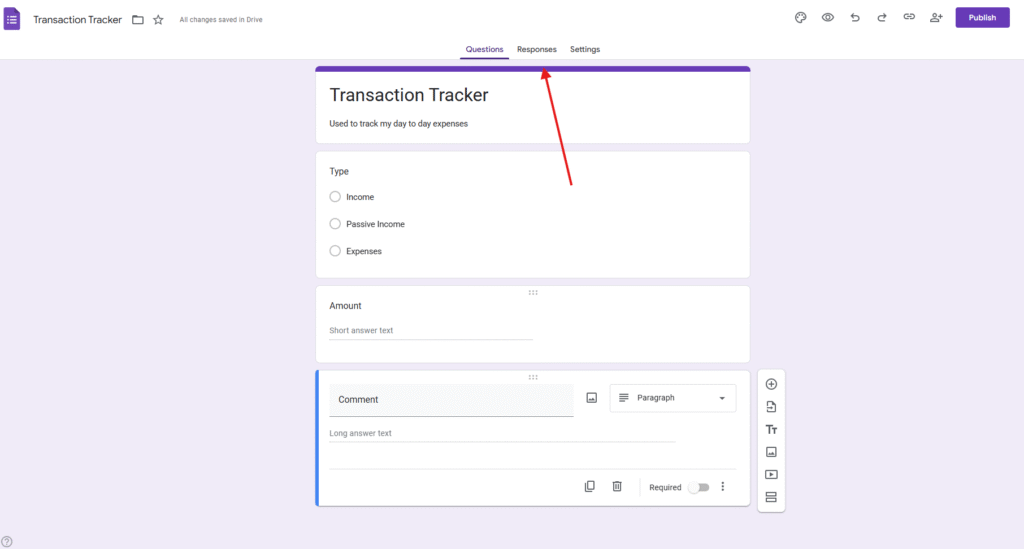
Now click on the Responses tab you will see the below screen.
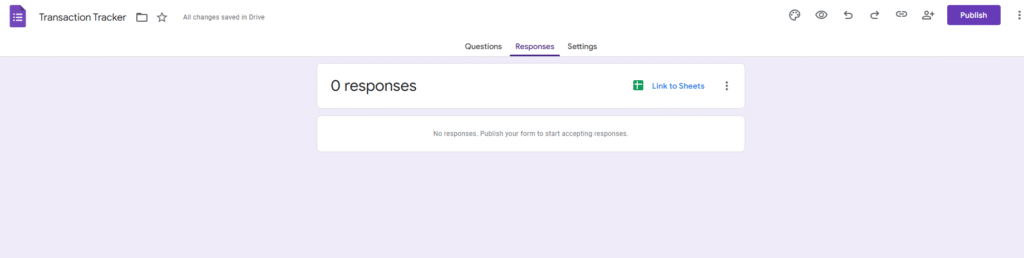
Click on the menu Link to Sheets
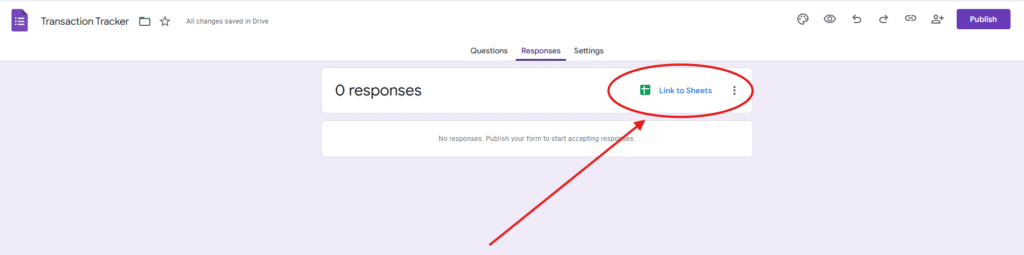
You will notice below popup
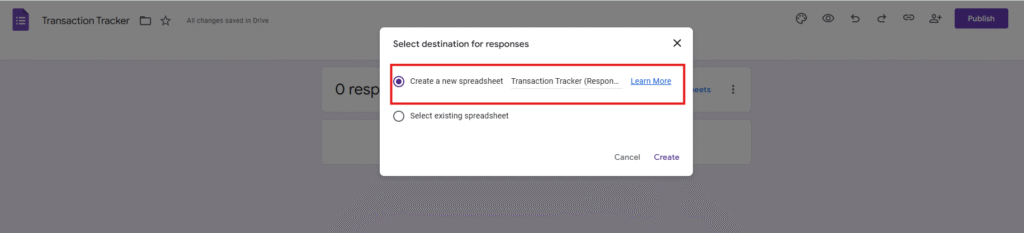
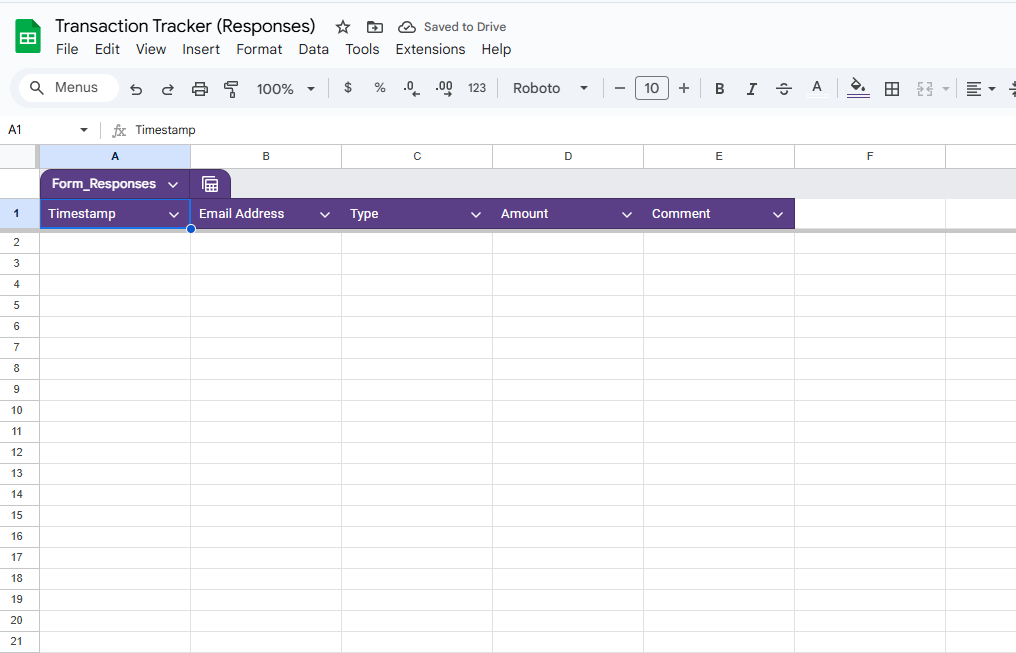
select create a new spread sheet and click on the button Create. Now you will be redirected to the google sheet.
Go back to the google form and click on Publish.
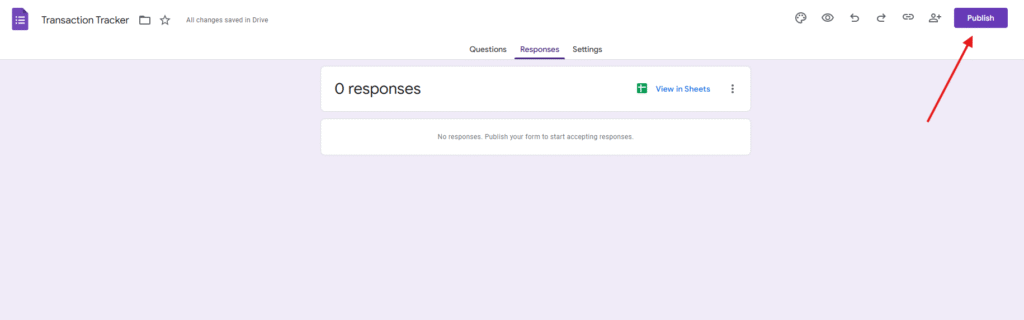
You will see the popup something like below and make sure the public access.
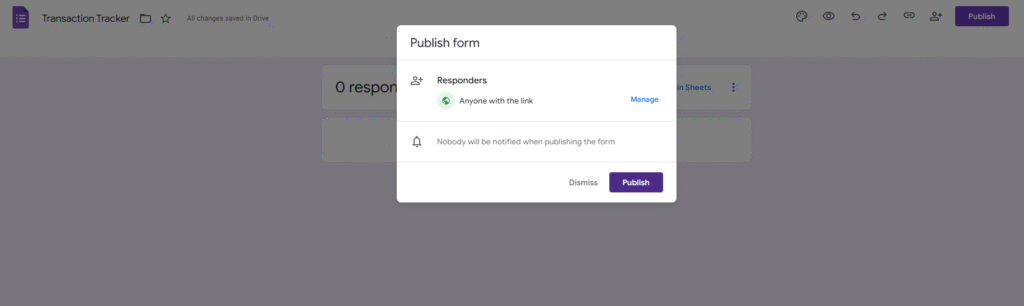
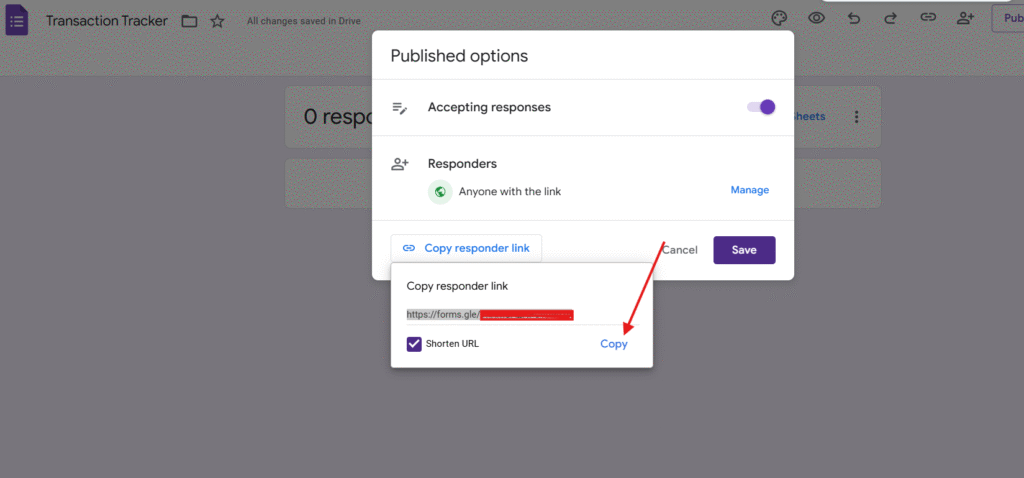
You will notice the published button, on click of it you can get the hyper link. You can copy it and bookmark it in your browser.
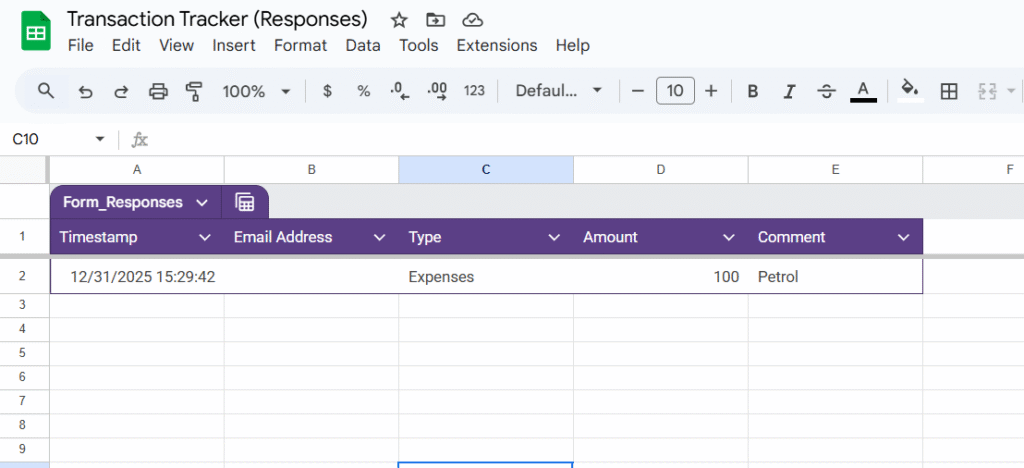
So when you submit the form your transaction data will be stored in the google sheet.
Additional Tip:
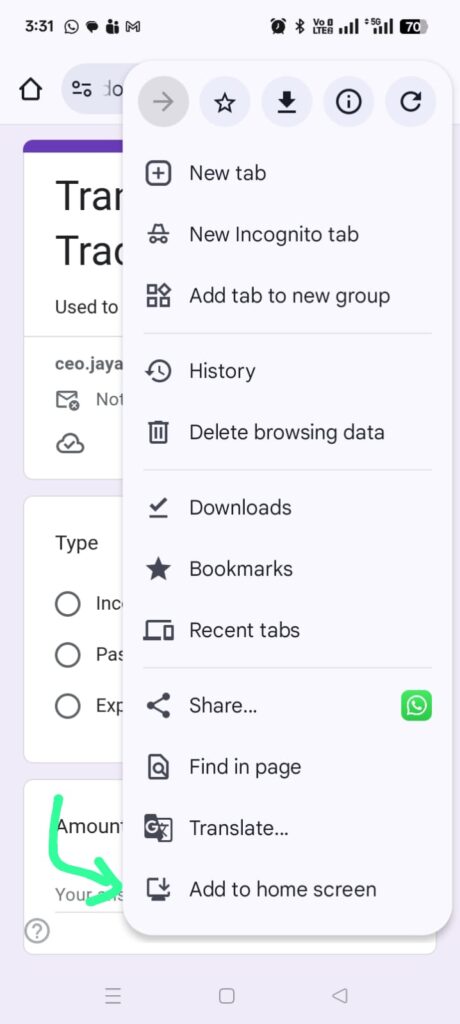
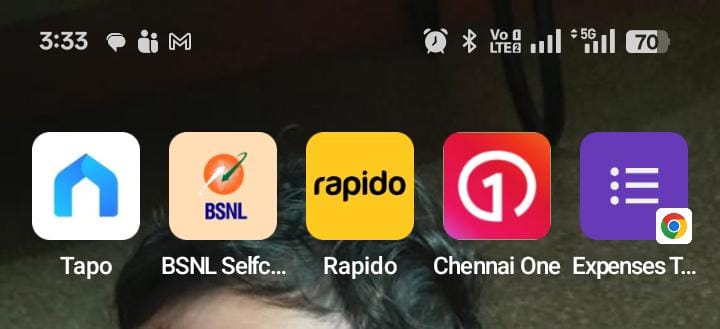
You don’t require to be present Infront your laptop or a computer. Just visit the google form URL that you have generated through mobile device and add it to the home screen. You can access and add the expense details easily from the mobile itself.
Bottom Line:
You don’t need any additional mobile application to track your expenses. With help of google form you can create your own transaction tracker. There are some smart automations also we able to do with help of the google form. For example you will be able to call the REST API when ever the google form is submitted.